Trade Fair Stand in 3D
A Blender 4.5 LTS course for vocational schools
From the first cube to a final render — step by step.
6 lessons · ~5 hours total · 5 exercises + final project
Why 3D for trade stands?
- Client sees the result before hiring a contractor. Cost of changes in 3D = zero. In real life = hundreds of euros.
- Iterations in hours, not weeks. Different color? Different layout? Five seconds.
- Documentation for the contractor — dimensions, plans, "rendering of intent".
- Reusable asset. Same stand, different client, different branding = one file.
- Pre-event marketing — render in brochure, on website, in mailing.
Trade stands, exhibitions, events ⇒ Blender. Free, accurate, sufficient.
What we'll build
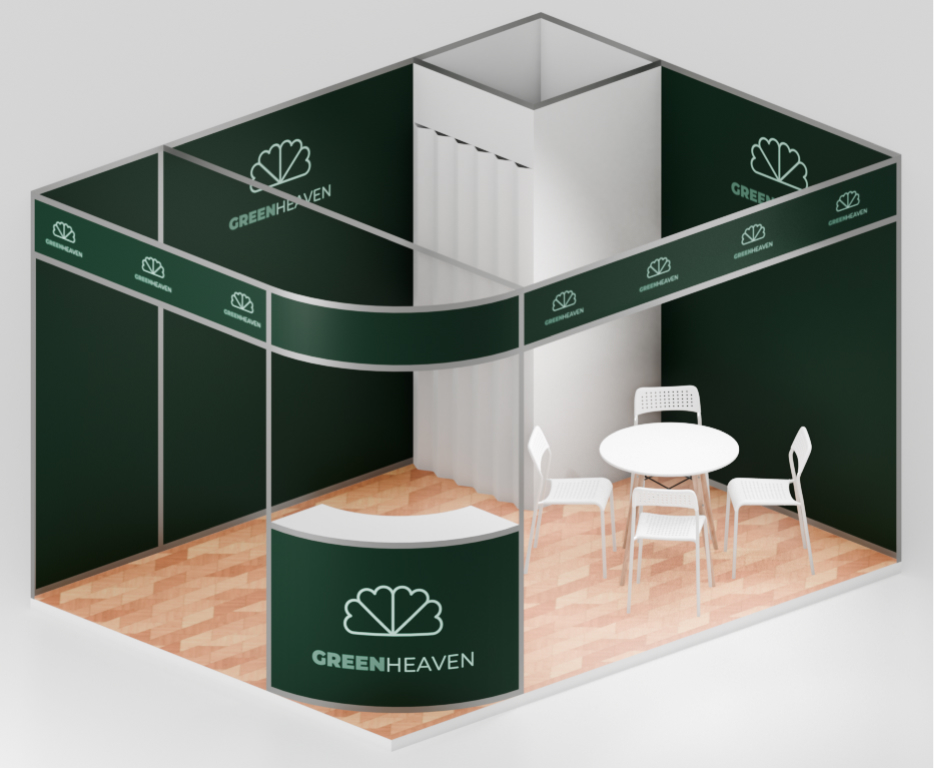
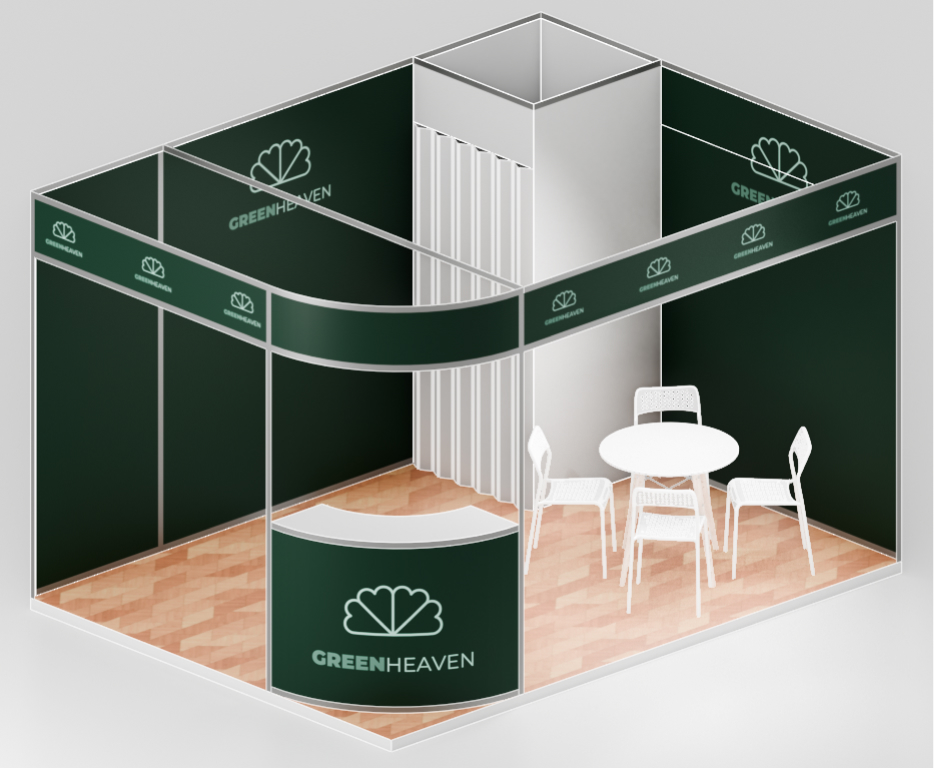
Course plan — 6 lessons
| Lesson | Topic | Time | Exercise |
|---|---|---|---|
| 1 | First contact — interface, dimensions, origin | 45 min | Cube 3×4×2.5 m with Apply Scale |
| 2 | Edit Mode — vertex/edge/face, Loop Cut, Separate | 45 min | Split cube into floor and walls |
| 3 | Generate modifiers — Solidify, Bevel | 60 min | Table with thick top and beveled corners |
| 4 | Array, Smooth by Angle, Wireframe | 60 min | Column with 6 slats + metal frame |
| 5 | Details and pitfalls | 60 min | Your own stand element |
| 6 | BlenderKit, materials, render | 60 min | Full render |
What you need
- Blender 4.5 LTS (blender.org/download/lts) — the long-term stable version.
- 3-button mouse with scroll wheel. Trackpad won't work.
- Numpad or its emulation: Edit → Preferences → Input → Emulate Numpad.
- Sheet with stand dimensions and a logo — without this the first 30 minutes is guessing.
- Patience and Ctrl+Z. Yes, Undo is the beginner's #1 tool.
Step 1 — dimensions
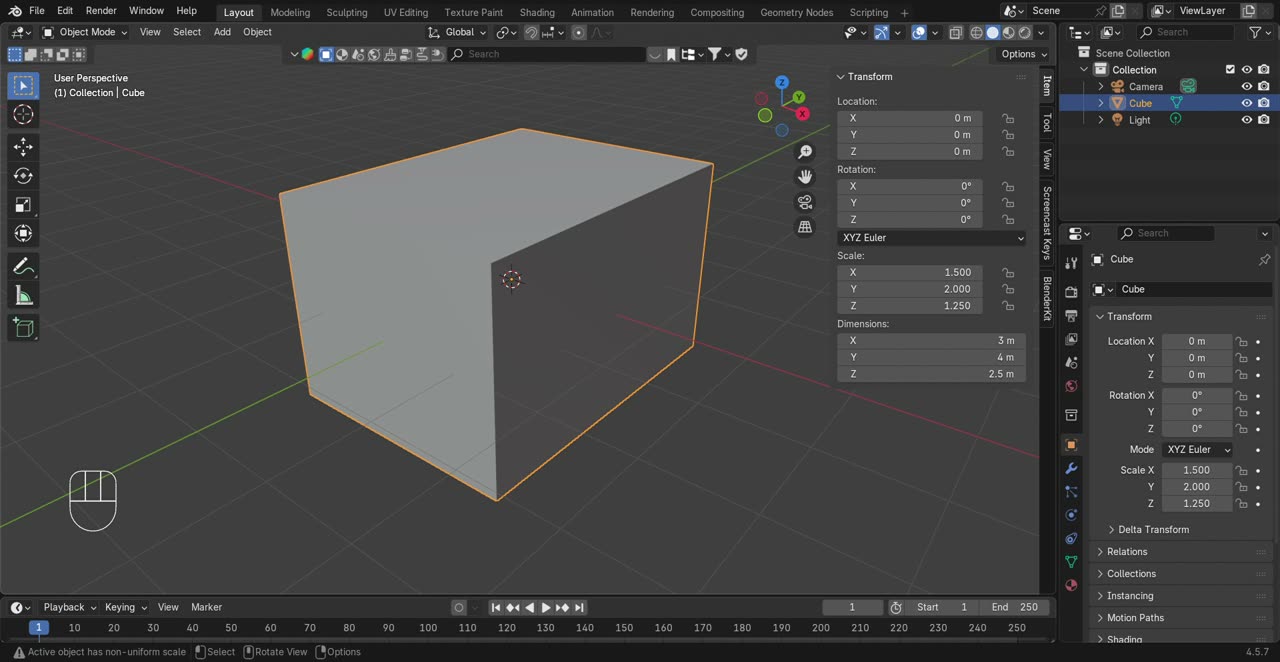
Most people delete the default cube. Don't delete it. It's our base shape.
- N → Item panel → Dimensions.
- Enter X = 4 m, Y = 3 m, Z = 2.5 m.
- Ctrl+A → Apply Scale.
Common mistake: entering dimensions changes Scale, not geometry. Apply Scale brings Scale back to 1.000.
The 5 modifiers
| Modifier | What it does | Used for |
|---|---|---|
| Solidify | Adds thickness to surfaces | Walls, floor, table tops |
| Bevel | Chamfers/rounds edges | Realism, light reflection |
| Smooth by Angle | Smooth shading by angle threshold | Curved counter, organic shapes |
| Array | Repeats object N times | Slats, balustrades, shelves |
| Wireframe | Edges become beams | Metal frames, cages |
7 objects. 8 modifiers. The whole stand architecture.
Final project
Brief: Design a trade fair stand for a fictitious company of your choice (cosmetics, gadgets, sweets, sports — anything).
Minimum requirements:
- Full stand 3 × 4 × 2.5 m: floor, walls, counter
- At least 5 modifiers in use
- At least 3 objects from BlenderKit (chairs, table, decoration)
- Visible logo and company name
- PNG render, minimum 1920×1080
Deliverables: .blend file + render + 1-slide PowerPoint pitch.
Time: 1-2 weeks (homework). 8-point grading rubric.
Full course (Polish)
This English page is a condensed overview. The full course (60 slides, 6 lesson markers, 5 exercises, glossary, assessment criteria, recommended creators) is in Polish:
Includes EN/PL toggle for Blender UI terms (124 official translations from Blender 4.5 PL).
If you need a fully English course, reach out — could be the next iteration.
Thanks!
Questions?